Integrate PolyTex with TexGen
TexGen software, developed at the University of
Nottingham,
is an excellent tool for building mesoscale models of textile
reinforcements and composites. PolyTex can be used as a third-party
package via Python 3.9 with the latest TexGen release (3.13.x). This
allows data and methods provided by PolyTex to be directly accessed
by TexGen to build ideal models of woven textiles and textile
composites. To do this, you should install the TexGen package
without Python bundled. A brief description is given below.
Step 1: Download TexGen
Navigate to the TexGen download page on SourceForge.net and follow the steps shown in the figure below. Note that you need to download the release without Python bundled.

The TexGen file (texgen-Python39-3.13.1.exe) indicates that
the current TexGen package supports only Python 3.9.
Step 2: Install Python 3.9
Go to the official website of Python: Download Python | Python.org and select the required Python version (Python 3.9). Here is the link to Python Release Python 3.9.13.
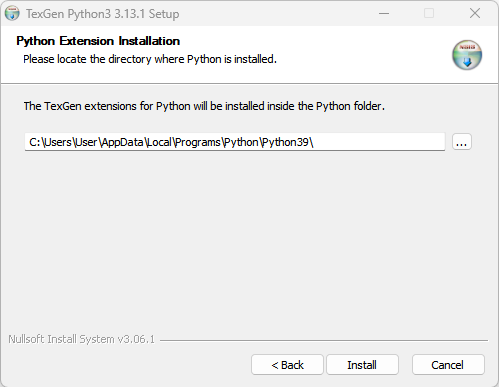
Step 3: Install TexGen
Install the TexGen package downloaded in Step 1. TexGen will
automatically detect the installation of Python 3.9.
Step 4: Install PolyTex in the Python 3.9 Environment
PolyTex can be installed simply by executing:
pip install polytex==0.4.5
If multiple versions of Python are installed on your computer, specify
the Python 3.9 installation directory in the pip command using the
--target= option:
pip install polytex==0.4.5 --target=C:/Users/User/AppData/Local/Programs/Python/Python39/Lib/site-packages
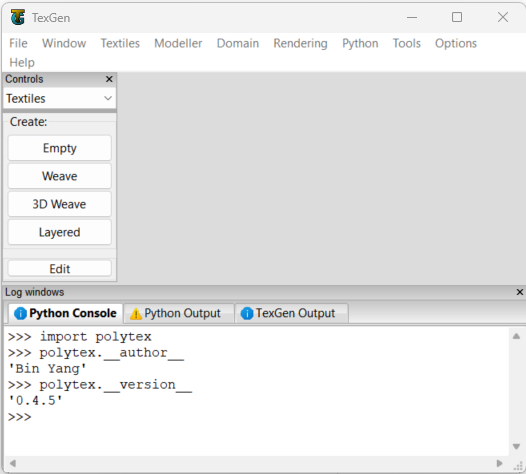
Once the installation is complete, import PolyTex in the TexGen
Python console:
import polytex
To test if the installation is successful, use the following code:
polytex.__author__
polytex.__version__
This should return the developer and version information of the
installed PolyTex.
At this point, all functions and data in PolyTex can be accessed by
TexGen to build models. For different fabric structures, different
TexGen scripts are required. Examples are provided in the TexGen
repository louisepb/TexGenScripts: Sample scripts to demonstrate TexGen
scripting.
Step 5: Convert TexGen voxel model to OpenFOAM mesh
Geometrical models created by TexGen can be exported as a VTU Voxel
File.
This file format can then be converted to OpenFOAM meshes using
PolyTex. An example script for this conversion process can be found
at Convert the TexGen-generated vtu file to OpenFOAM polyMesh — PolyTex
documentation.